This term I have been working in the Game-Dev team mainly concentrating my energy on the lighting of the game scene. I mostly work alone on my part of the team to create realistic lighting effect bring a more immersive gaming experience.
I previously have very little experience with Unity. Only have worked with it for about 18 hours during CarlHack 2016 to create a Zombie VR game and mainly worked on writing some AI scripts to adjust the Zombies’ behaviors but have very little knowledge of other parts of the Engine.
Lighting in Unity is very straightforward to use, basically everything in a Unity scene is a object and we could attach various modules to it. Just like physics module (like rigid-body collision), sound module, to make something to emit light is easy. Basically just drag a prefab into the scene, click on the property inspector, search for light and apply. That’s it.

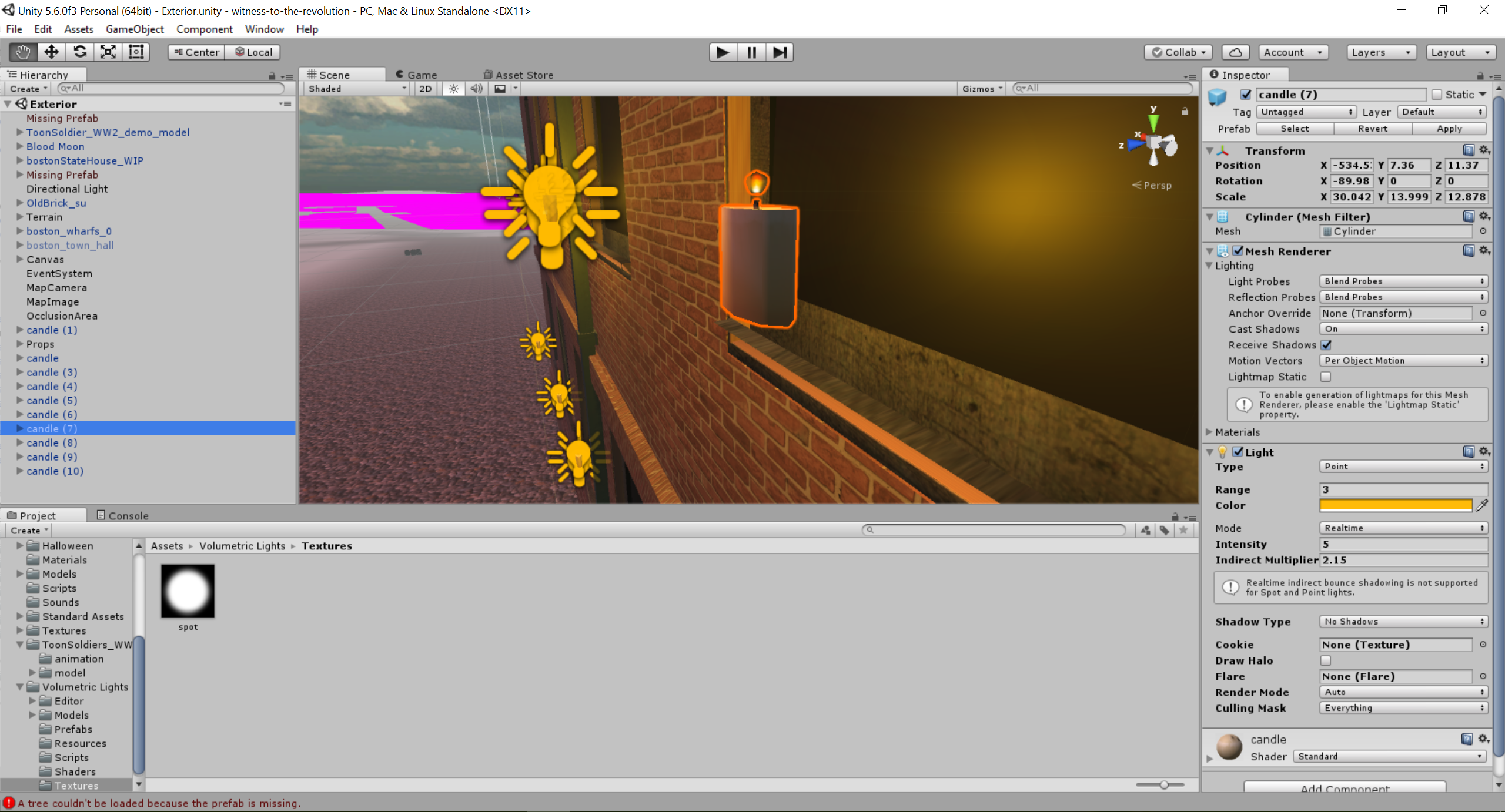
As we can see from the screenshot above, I created a candle and assign a lighting module to it. Specifically, I have assigned the candle to have a point light of range 3, intensity 5 and it casts no shadows. I won’t dive into the details of these settings, Unity has great tutorials on their official site.
What complicate about lighting is there are various forms lighting and these different kinds of lighting also interact with each other. So we want to be careful about what kind of lighting to use. For candles, just a regular point light is enough as a light source. But if we want to create the ambient lighting shining from the moon, we will have to use a different kind of light: directional light. Basically directional light is also some sort of point light. However, the light source is so far away, when its light reach our objects, every light beam is almost parallel to each other. Examples of this kind of light is sunlight or moonlight. Here to have moonlight shining on the town, I created a ball object and attach a lighting to it.

(Without directional light)

(With directional light)
Apart from these lights, Austin shares a video about volumetric lighting one day and I thought it is a very interesting and useful lighting technique to include in our scene. Just not sure how to use it.
So what’s volumetric lighting? Imagine we have a spotlight pointing in some direction, naively we will expect to see a region lighten up on the surface. However, in real life, we have lots of ash and other particles in our air, when light travel thru them, they will reflect light to our eyes as well, so it is not just a plain 2D shinning on the surface. Realistically, it should be a 3D lighting cone.

(A normal spot light, very boring)
(With volumetric light, much more interesting and realistic)
The next step I am thinking is to have automated lighting attached to an object, so the scene creators don’t have to worry about the lighting effects. They can just concentrate on creating a fantastic scene and it will have a good lighting automatically. I am still learning how to write scripts to achieve this effect. It is a quite exciting topic to carry on with.
I have also been trying to create some mini games to enrich the content of the game. to make the game more dynamic and interesting. Have been following some great tutorials people created on Youtube, hopefully can integrate this into the game sometime.
